SafeScan
Freelance practice work - a document-upload app for soldiers going through PTSD disability recognition. I ran the UX research and designed the interface around it.
The problem
The app I audited was missing basic UX: red alert banners, pop-ups that trap you in a binary choice, and put the Delete button right next to the main menu where you'd easily tap it by mistake. Nobody scans a document because they feel like it - the user might not be calm to begin with.
So I designed against SAMHSA's trauma-informed care principles - written by the U.S. agency for health services, not software. Six principles; two translate almost directly.
no sudden movement, no ambiguous states.
doing. Unpredictability removes control.
What was wrong with the original
I ran a heuristic evaluation against Nielsen's ten usability heuristics before designing anything. Four failed clearly enough to be worth fixing.
.png)
Visibility of system status
“Document sorted” is static text. Nothing on screen shows where the document actually is.
.png)
User control and freedom
A binary choice with no visible way out - no close, no escape except answering it.
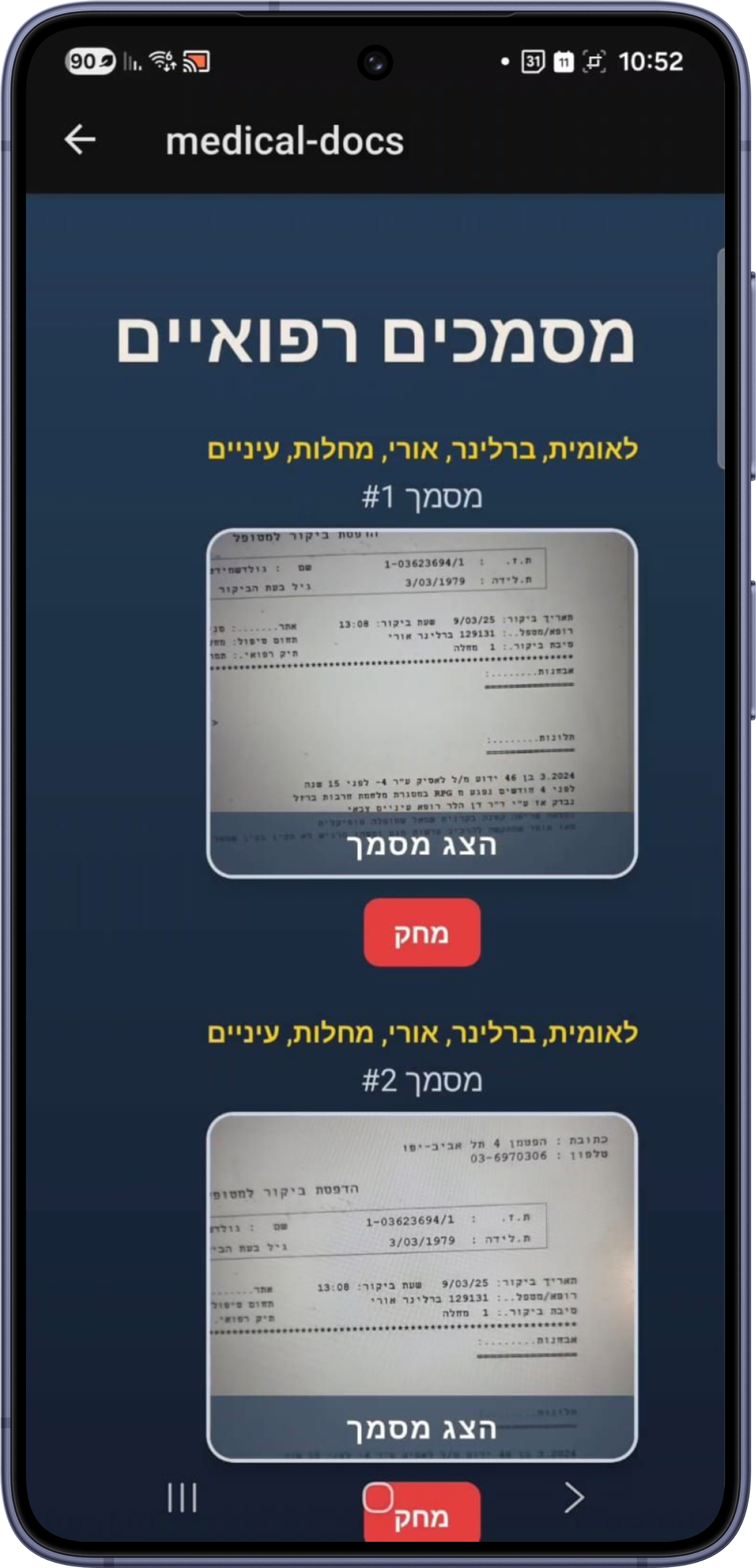
Error prevention
A red Delete sits right under View - close enough to hit by accident. The app relies on a confirmation instead of keeping the two apart.
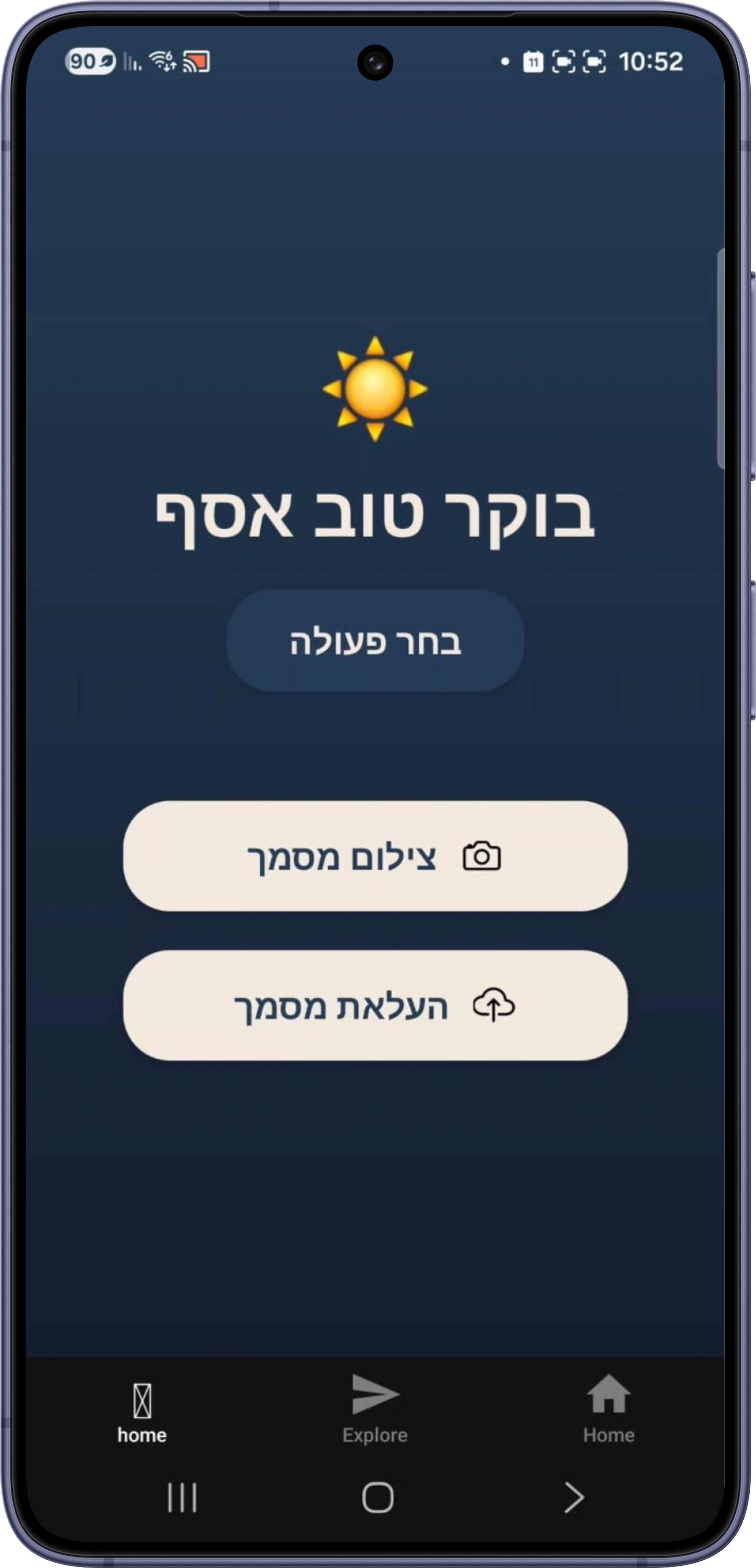
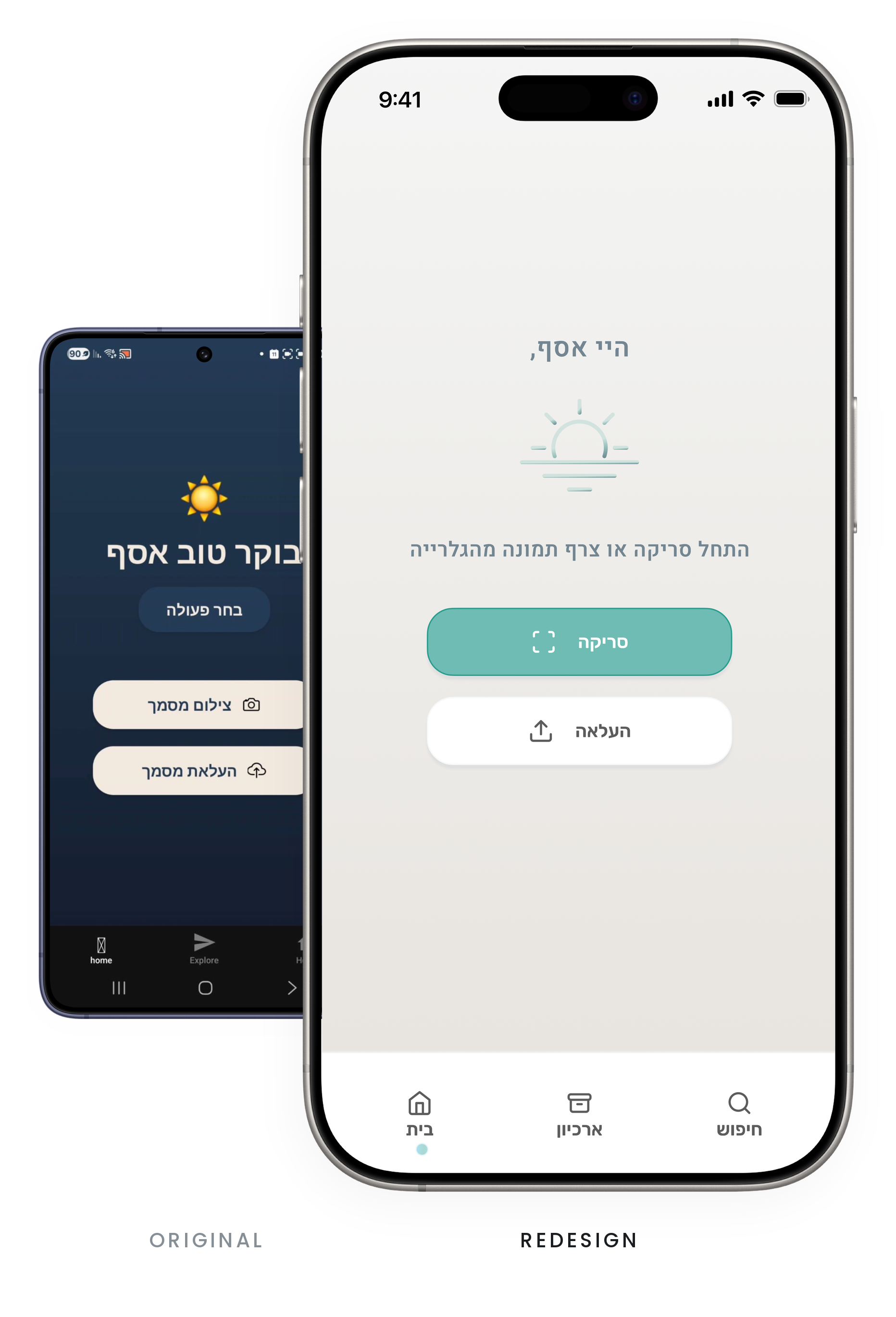
Aesthetic and minimalist design
The greeting is the biggest thing on the screen. The two actions get a thin band in the middle, with a third of the screen empty beneath them.
Where the work moved
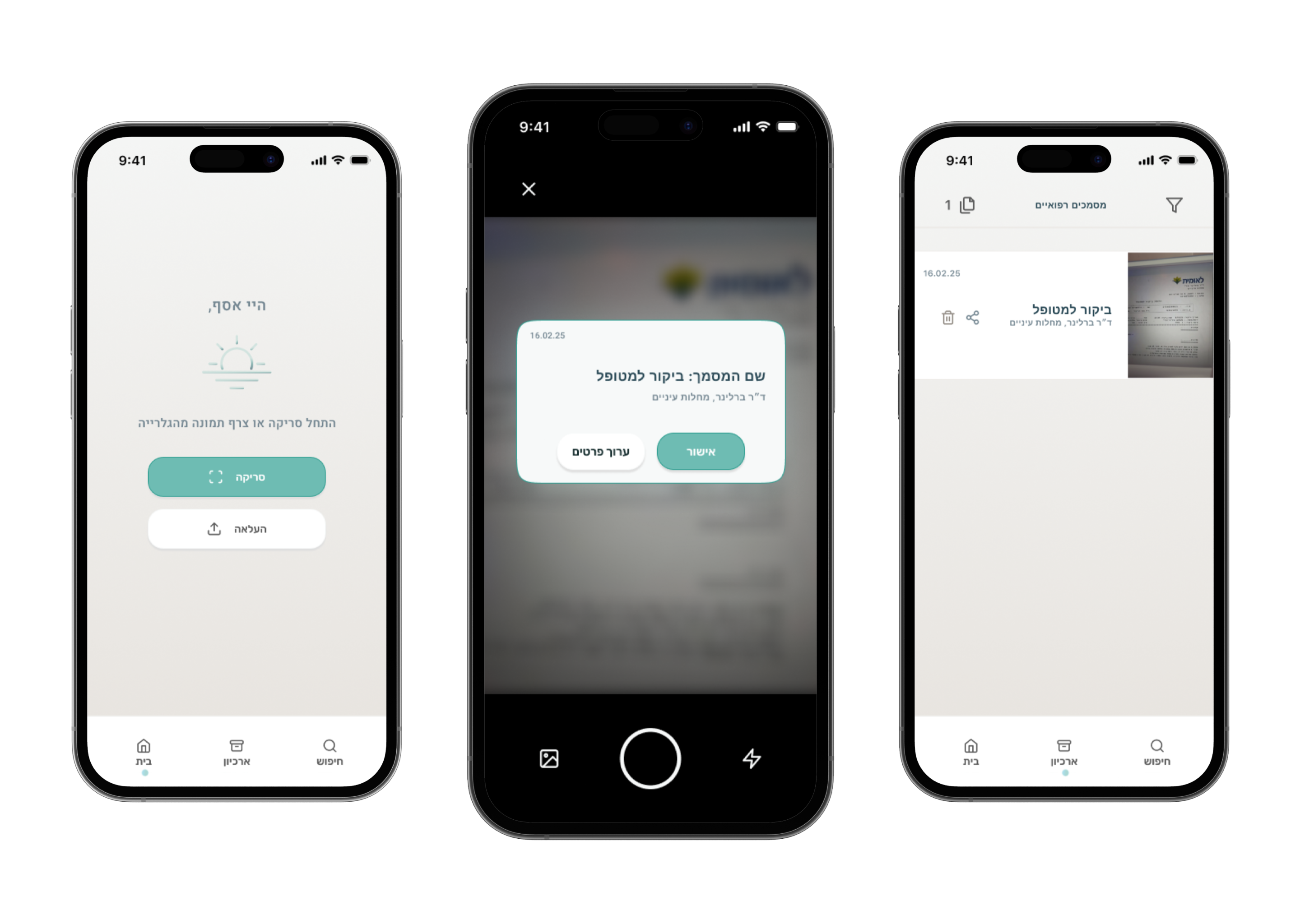
The original flow stops the user four times: a stack of pop-ups, sorting the document by hand, confirming it was sorted, and confirming a delete. The redesign stops them once, at the entry screen.
Two of those decisions didn't disappear - they moved onto the system. Sorting became automatic, and the confirmation became a passive approval that asks nothing of you.
The fourth, the delete confirmation, is simply gone. That one turned out to be a mistake.
The redesign
The redesign moves the work from error recovery to error prevention - and moves as much of it as possible off the user entirely.
The Sunrise screen
The app opens on one action instead of a dashboard of alerts. Fewer options, faster decision (Hick's Law) - and the entry point sets the tone for everything after it.
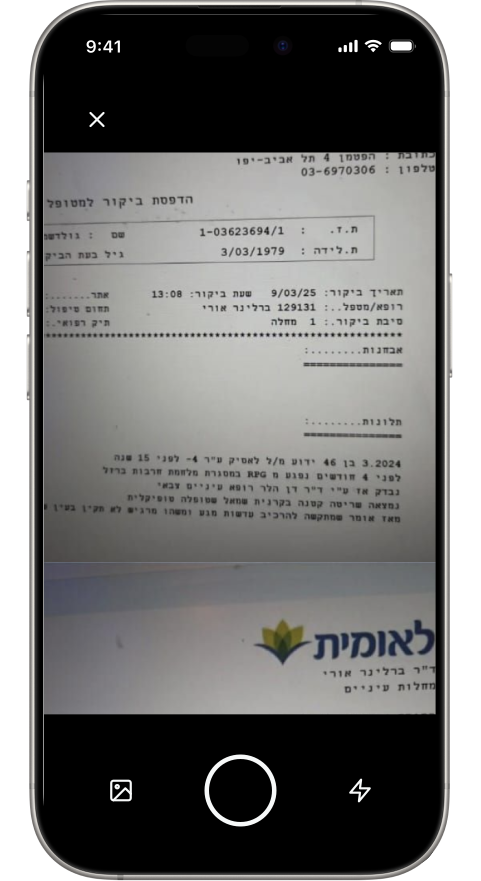
Darkroom capture
During scanning the interface dims everything except the document. Less visual noise, and it makes the act feel private.
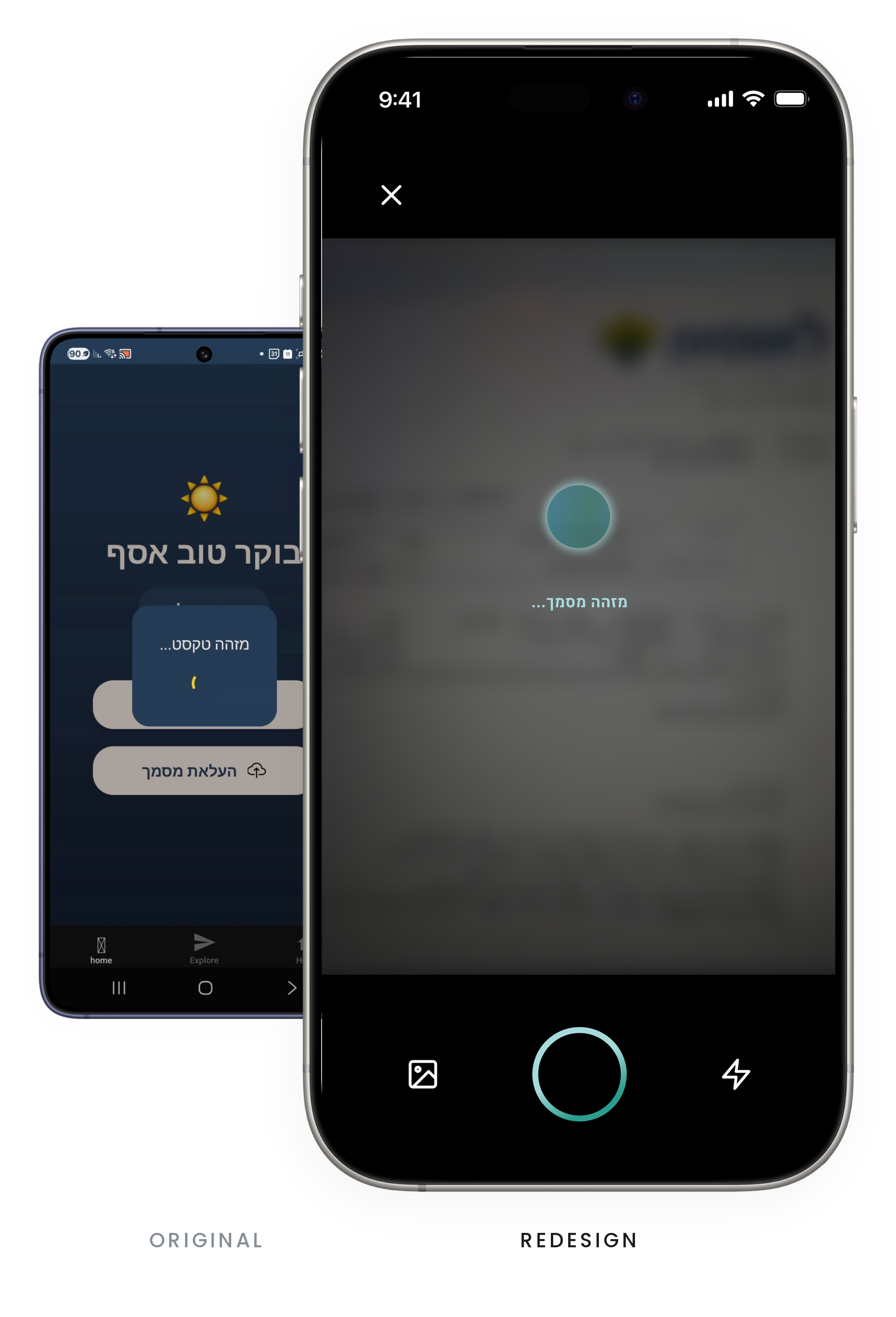
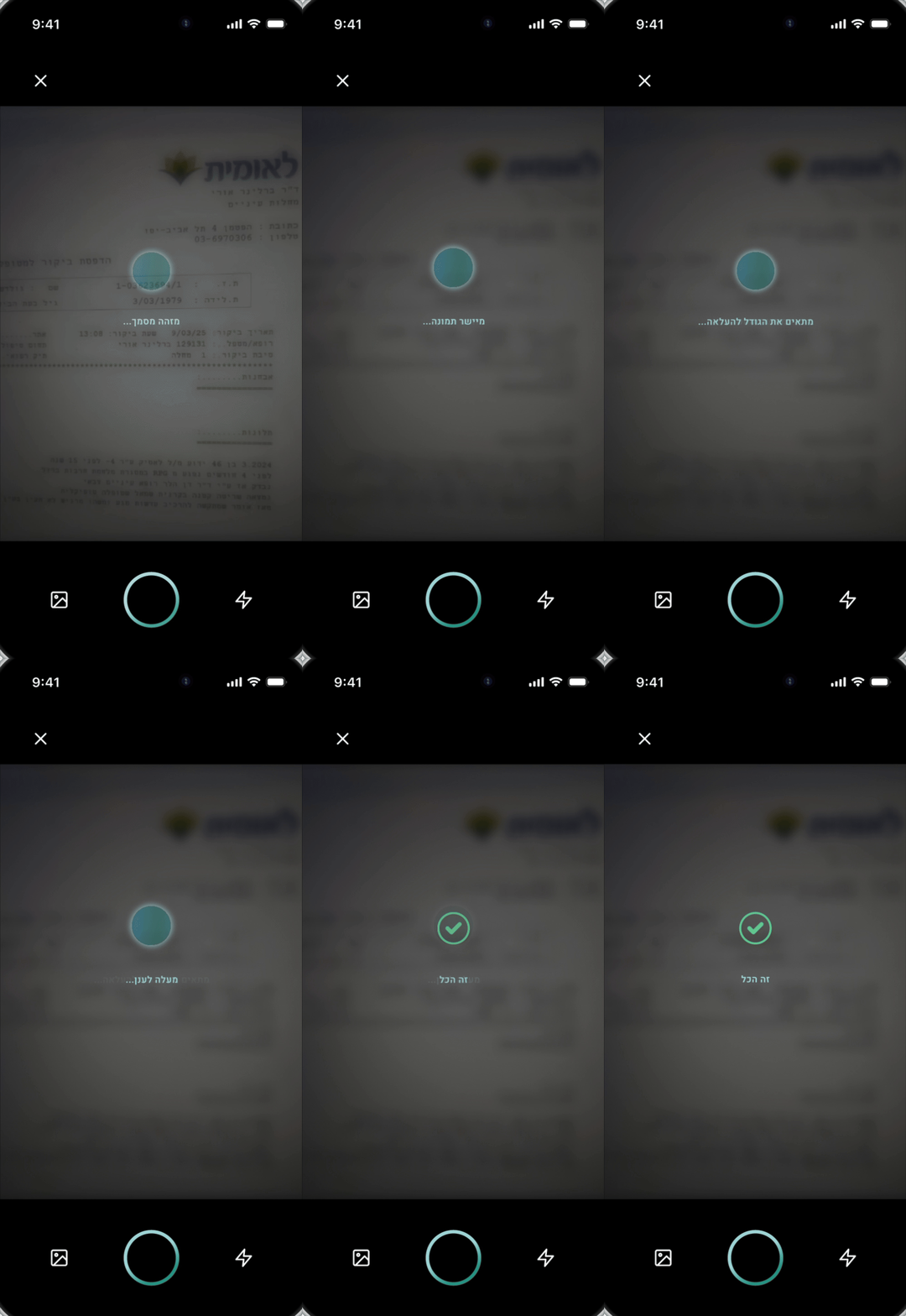
The breathing loop
A spinner only tells you time is passing. A slow expanding circle plus plain status text - Aligning… Enhancing… - says the wait is working for you.
Invisible tech
Alignment and lighting correction happen in the background. Configuration is a decision, and decisions are what a stressed person has least of.
Key decisions
Calm over informative
A spinner is uninformative; a progress bar is informative but promises a duration it may not keep. I chose a breathing circle with plain status text.
It tells you the system is alive, not how long you'll wait. Fine for a two-second scan. For a slow one, a user who can't tell whether thirty seconds is normal is back in the uncertainty the design set out to remove.
No red
Trauma-informed design says avoid aggressive color, and alert red is the most aggressive signal in the standard palette. So it's out.
In the saved-documents list, however, Delete and Share still sat side by side with zero confirmation for the destructive action. It's a quieter version of the failure I flagged in the original app.
Where it stands
SafeScan is a clickable prototype. The flows are designed; nothing is built.
It was a good problem to work on. Designing for a person in distress forced a harder question on every screen - not "is this clear?" but "how much does this ask of them?"
Let’s build something great together.
I'm currently exploring new opportunities in product design and UX research.
My LinkedIn profile